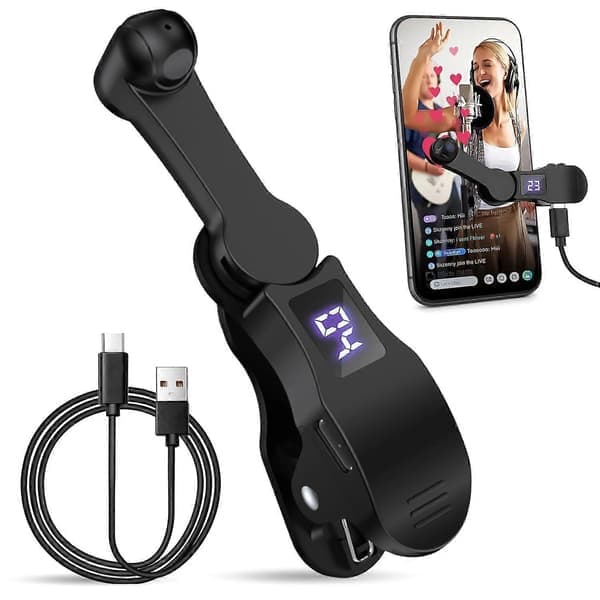
Automatic Clicker Phone Screen Device Speed Clicker for Android IOS Apps, Continuous Clicking for Games, Live Streams Likes
Dubbelkollat idag
Jämför 1 butik
- Fyndiq, 178 kr, frakt enligt butiken. Till butik (öppnas i ny flik)
I lagerFrakt: se butikenDubbelkollad 01:14
178 kr
Lägst

Priser från butikernas flöden kan ha ändrats: det är priset hos butiken som gäller, så kontrollera det innan du handlar.
Om produkten
Automatic Clicker Phone Screen Device Speed Clicker for Android IOS Apps, Continuous Clicking for Games, Live Streams Likes
Läs merLäs mindre
Automatic Clicker for Smart Phone, Phone Screen Device Speed Clicker for Android IOS Apps, Fast Click Simulation Finger Continuous Clicking for Games, Live Streams Likes, Adjustable Speed Physical Clicker\n [Advanced Silent Operation] This Phone Screen Auto Clicker uses spatial mapping click technology to replace the traditional mechanical click method, silent click, zero noise, and has a longer service life, adopts an innovative technology that does not damage the screen of mobile phones, more sensitive and stable.\n [Easy to Use] Simply attach the click head or use the screen clip to replicate automatic finger clicks. Connect the USB interface to a power source for immediate use, freeing your hands. Perfect for gaming, live streaming, and completing tasks with efficiency.\n [Customizable Click Speed] Tailor your phone screen auto-clicker to suit your exact needs. With 108 adjustable speed settings, you have the freedom to choose between an incredibly fast speed of 99 clicks per second or a more relaxed pace of just 1 click every 9 seconds. You can save your preferred speed and enjoy finger-like, irregular click patterns for an uninterrupted experience.\n [LED Display Design] With a built-in LED digital display that allows you to see the number of clicks, simple and convenient to operate, adopts an intelligent digital display to make your use more convenient.\n [Instructions for Use] Activate BOOT mode - Start by pressing the BOOT button to activate the device into BOOT status, where the screen displays a numerical count. Proceed by pressing the start button to initiate the clicking action, which is indicated by a flashing blue light. To change the frequency in BOOT mode, simply hold down the BOOT button for an extended adjustment.