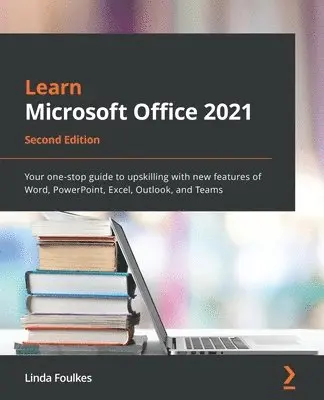
Learn Microsoft Office 2021
- Vikt 1,2 kg
468 krhos Bokus · exkl. frakt
141 kr skillnad mellan billigaste och dyraste butik i lager
Dubbelkollade priser
Jämför 3 butiker
- Bokus, 468 kr, frakt enligt butiken. Till butik (öppnas i ny flik)
I lagerFrakt: se butikenDubbelkollad 07:51
468 kr
Lägst
- Akademibokhandeln, 609 kr, frakt enligt butiken. Till butik (öppnas i ny flik)
I lagerFrakt: se butikenDubbelkollad 07:53
609 kr
- Adlibris, 362 kr, frakt enligt butiken. Till butik (öppnas i ny flik)
Slut i lagerFrakt: se butikenDubbelkollad 27 okt. 09:10
362 kr


Priser från butikernas flöden kan ha ändrats: det är priset hos butiken som gäller, så kontrollera det innan du handlar.
Prishistorik
Köp nu eller vänta?
Just nu kostar produkten 468 kr — 112 kr över det lägsta vi sett på 1 månad.
Under den tiden har det oftast legat runt 360–460 kr.
Pris idag
468 kr
- Lägst
- 356 kr
- Snitt
- 398 kr
- Högst
- 468 kr
| 2026-09-15 | 458 kr · Lägst hos Bokus |
|---|---|
| 2026-09-24 | 356 kr · Lägst hos Adlibris |
| 2026-10-06 | 458 kr · Lägst hos Bokus |
| 2026-10-08 | 362 kr · Lägst hos Adlibris |
| 2026-10-26 | 468 kr · Lägst hos Bokus |
Om produkten
Learn Microsoft Office 2021
Läs merLäs mindre
Take your Microsoft Office skills to the next level by mastering the exciting new features and enhancements in Microsoft Office 2021, including communicating, collaborating, and presenting using TeamsKey FeaturesGet a progressive walkthrough of the new desktop and web apps with real-world examplesEnrich your skillset by learning new productivity feature enhancements for Office web and desktopDiscover how to use Microsoft Teams to communicate, collaborate, and present during meetingsBook DescriptionThis second edition book covers the new and exciting features of Microsoft Office 2021 for desktop and web apps, helping you broaden the skills from the previous edition. Using real-world experiences, this book will guide you through practical examples that set off your thought process to boost productivity.To build new skills in each application, the book ensures that you gain a thorough understanding of new functions, such as PivotTables, Dashboards, and data manipulation methods in Excel.You'll explore PowerPoint tools such as Presenter Coach, Presenter View, the record tool, and setting reading order to mention a few. You'll also manipulate slide elements using Auto Fix, draw features, insert video captions, explore playback options, and rehearse presentations using the body language Presenter Coach feature. The book demystifies the Transform feature and shows you how to dictate directly in Word. You'll even be able to work with Styles by refining the layout and multiple tables of contents. Finally, you'll focus on making the best use of Outlook enhancements and working remotely using Teams.By the end of this book, you'll have understood the features of each app inside out and enhanced your existing skills using new techniques to make your professional life more efficient.What you will learnUncover OneDrive features and Word enhancements such as dictation, co-authoring, embedding, styles, referencing, and media toolsManage Word document layouts, online forms, recording document automation, and track, compare, and combineCreate engaging PowerPoint presentations using Presenter Coach, Auto Fix, Record, and drawing toolsExplore Excel functions such as XLOOKUP, LET, XMATCH IFS, arrays and IFERROR, and VLOOKUPWork with database and COUNTIF functions, Advanced Filter, clean data, and PivotTables and DashboardsExplore Outlook enhancementsWho this book is forIf you work with Microsoft Office applications but are yet to discover the complete range of features, this second edition is tailored to broaden your skillset with new features and functionalities. It would be of value for those working in any industry and for students moving into the workplace or preparing for Microsoft Office certification. The book uses real-world practical workplace examples to help you get ready to apply your skills and make the most of the recent features of Microsoft Office.Although not a prerequisite, a solid understanding of the Microsoft Office applications will be beneficial.
Specifikationer
Fakta
- Vikt
- 1,2 kg
- GTIN
- 09781803239736
Uppgifter från tillverkare och butiker.