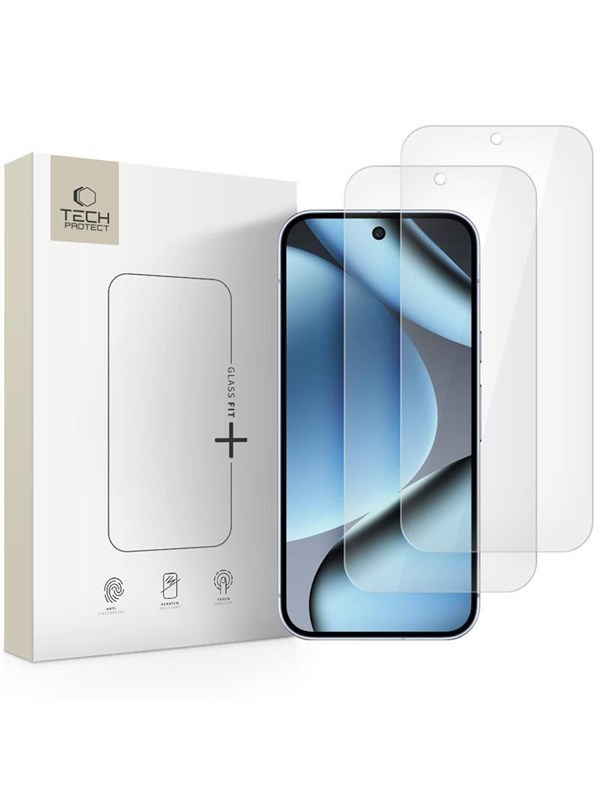
Tech-Protect Glass Fit+ 2-pack tempered glass for Google Pixel 9 Pro XL / 10 Pro XL - transparent
141 kr156 kr−9% senaste veckanhos Proshop · exkl. frakt
Jämfört med det lägsta pris vi sett de 30 dagarna före sänkningen.
Dubbelkollat idag
Jämför 2 butiker
- Proshop, 141 kr plus 59 kr frakt. Till butik (öppnas i ny flik)
I lagerFrakt 59 krDubbelkollad 21:48
141 kr
Lägst
- CS MEGASTORE, 166 kr plus 49 kr frakt. Till butik (öppnas i ny flik)
Slut i lagerFrakt 49 krDubbelkollad 21:50
166 kr

Priser från butikernas flöden kan ha ändrats: det är priset hos butiken som gäller, så kontrollera det innan du handlar.
Prishistorik
Köp nu eller vänta?
Pris idag
141 kr
- Lägst
- 141 kr
- Snitt
- 154 kr
- Högst
- 156 kr
| 2026-10-06 | 156 kr · Lägst hos Proshop |
|---|---|
| 2026-10-17 | 141 kr · Lägst hos Proshop |
Om produkten
Tech-Protect Glass Fit+ 2-pack tempered glass for Google Pixel 9 Pro XL / 10 Pro XL - transparent
Läs merLäs mindre
Tech-Protect Glass Fit+ tempered glass is a high-quality protective accessory made of lightweight and precisely milled glass, only 0.3mm thick. The perfectly fitted design fully preserves the touchscreen's sensitivity. The manufacturer rates its hardness at 9H on a 10-point scale, which translates into exceptional scratch resistance during everyday use. The glass is crystal clear, preserving natural colors and display sharpness. An additional advantage is a special oleophobic coating that effectively minimizes the accumulation of fingerprints and other contaminants on the glass surface, making it easier to keep clean. * Due to the various milling patterns on display edges, a slight air halo may appear around the screen after installing a screen protector! This is a natural occurrence and depends on the milling pattern of the screen in a given unit. INSTALLATION INSTRUCTIONS: 1) Start the installation in the bathroom right after taking a bath - the water vapor will absorb all the dust from the atmosphere and it will not interfere with the installation. 2) Thoroughly clean and degrease the screen surface, then polish it to a shine with a dry cloth. 3) Install the cover as evenly as you can - you can position it using two leaves, sticking them to the side of the device. 4) Eliminate any air bubbles by pressing firmly in circular motions for several dozen seconds. Do this to ensure the adhesive bonds as strongly as possible to the screen.