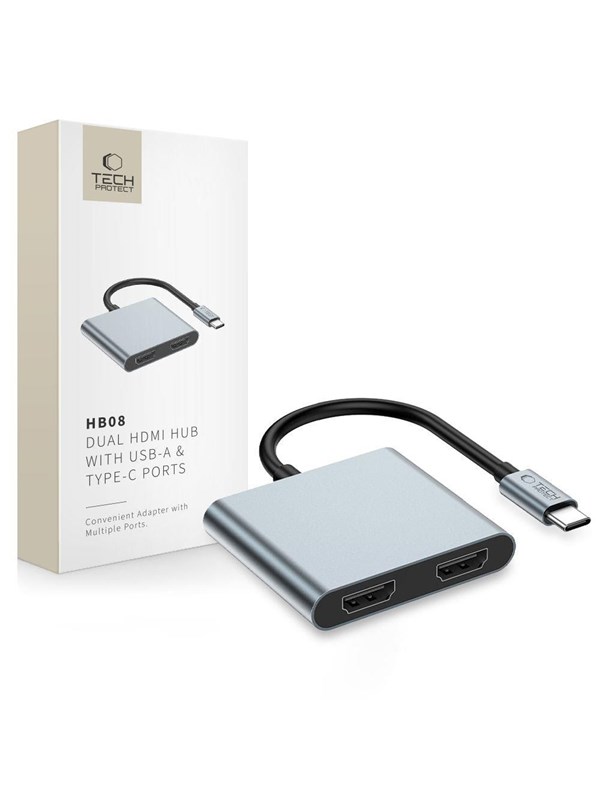
Tech-Protect HB08 4-in-1 USB-C + USB2.0 + 2 x HDMI 4K 60HZ Adapter - Grey USB Hub - USB 2.0 - 2 porte - Grey
Dubbelkollat idag
Jämför 2 butiker
- Proshop, 184 kr plus 49 kr frakt. Till butik (öppnas i ny flik)
I lagerFrakt 49 krDubbelkollad 15:48
184 kr
Lägst
- CDON, 203 kr plus 39 kr frakt. Till butik (öppnas i ny flik)
Slut i lagerFrakt 39 krDubbelkollad 15:57
203 kr

Priser från butikernas flöden kan ha ändrats: det är priset hos butiken som gäller, så kontrollera det innan du handlar.
Prishistorik
Köp nu eller vänta?
Just nu kostar produkten 184 kr — 20 kr över det lägsta vi sett på 1 månad.
Under den tiden har det oftast legat runt 160–240 kr.
Pris idag
184 kr
- Lägst
- 164 kr
- Snitt
- 209 kr
- Högst
- 248 kr
| 2026-09-16 | 248 kr · Lägst hos CDON |
|---|---|
| 2026-09-22 | 243 kr · Lägst hos CDON |
| 2026-10-01 | 204 kr · Lägst hos CDON |
| 2026-10-02 | 203 kr · Lägst hos CDON |
| 2026-10-05 | Ingen butik hade produkten i lager |
| 2026-10-06 | 184 kr · Lägst hos Proshop |
| 2026-10-07 | 174 kr · Lägst hos Proshop |
| 2026-10-11 | 164 kr · Lägst hos Proshop |
Om produkten
Tech-Protect HB08 4-in-1 USB-C + USB2.0 + 2 x HDMI 4K 60HZ Adapter - Grey USB Hub - USB 2.0 - 2 porte - Grey
Läs merLäs mindre
The Tech-Protect HB08 is a compact and versatile accessory that significantly expands the capabilities of USB-C devices. The adapter offers two HDMI outputs for simultaneous connection of up to two monitors, one USB-A 3.0 connector for data transmission, and a USB-C port with Power Delivery with up to 100W of power for charging only. Thanks to the high-quality workmanship made of aluminum and durable ABS plastic, the adapter is lightweight, robust and resistant to mechanical damage. The device supports resolutions up to 4K at 60Hz for a single monitor (on macOS), as well as 1080p at 60Hz in a dual-screen setup on Windows. With its compact dimensions (58 × 51 × 10 mm) and cable length of 115 mm, the adapter is ideal for both the office and the go. The Tech-Protect HB08 is a practical solution for people who value mobility, functionality and aesthetics. *Video transmission via HDMI is only possible if the device manufacturer meets the appropriate standard. Refer to the manual to see if the USB-C port on your device supports video broadcasting. ** The USB-C socket is only used as a by-pass for charging the device to which the HUB is connected (laptop, smartphone). It does not support data transmission.